
After installing the plugin, a menu item called Marketify will appear in the admin panel. Click on it and you will be redirected to the plugin’s main page for managing pop-ups.
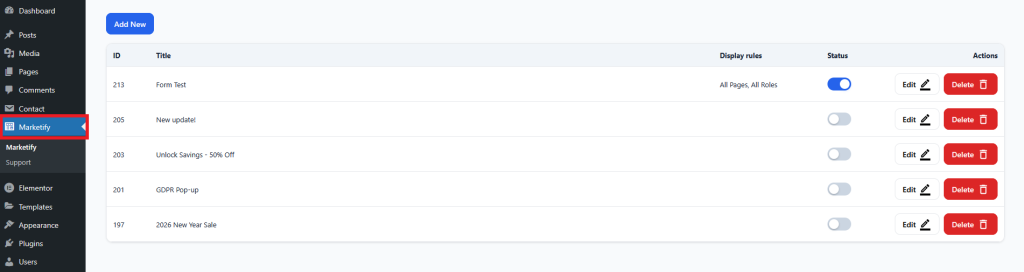
On this page, you can:
- Create a new pop-up
- Edit an existing pop-up
- Delete a pop-up
- Enable or disable a pop-up
The Display Rules column will show the display rules for a specific pop-up. If the pop-up is disabled, no text will be displayed in the column.